The right people on every event
Build the week, assign staff to each event, track hours, tips, and time off, then export straight to payroll.
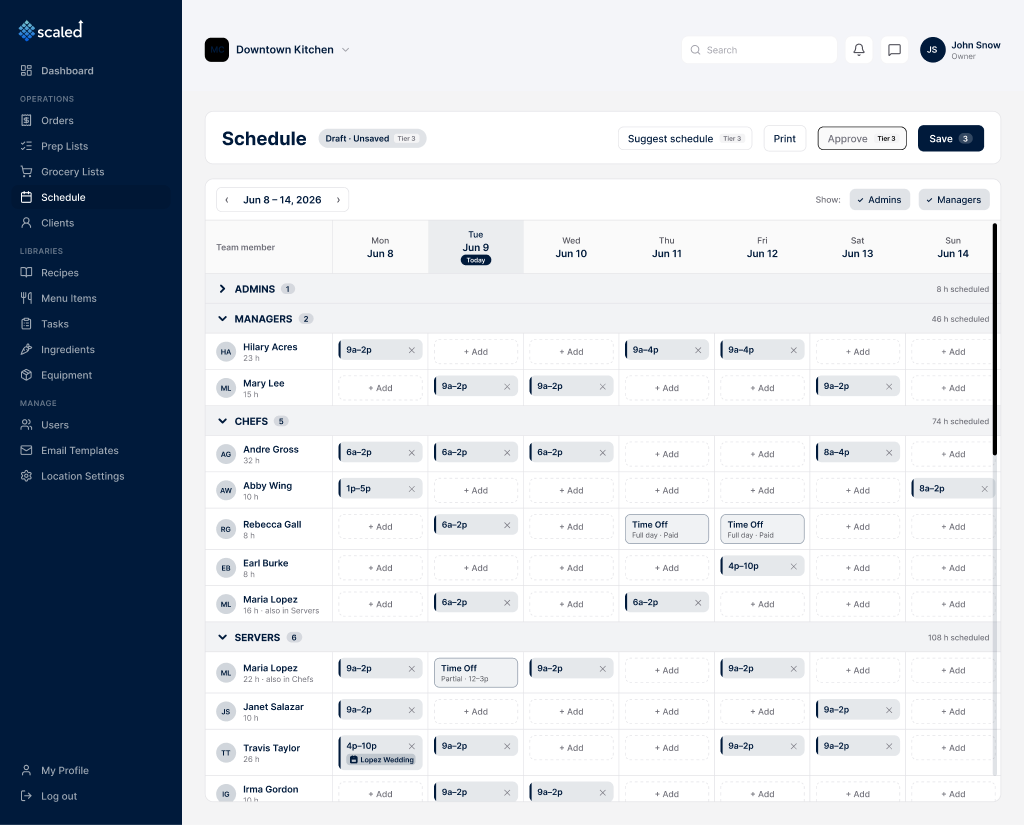
Scaled brings scheduling and payroll into the same place your events live. Build the week on a grid, assign the right people to each event, and let Scaled suggest who to put where based on availability, hours, and time off. Staff clock in, request time off, and pick up open shifts, while every hour, tip, and reimbursement is compiled for a payroll export.
Weekly scheduling by department
Build one week at a time on a grid that groups staff by department, so someone who works as both a chef and a server is scheduled separately in each role on the same day.
Auto-suggested shifts
Scaled fills the open slots for you, scoring each person on availability, how close they are to their hours cap, and last week's load. Approved time off is a hard exclusion. You review, edit, or accept.
Assign staff to events, from either side
Attach a shift to an event, or assign a person on the order, and the two stay in sync because they share one record. The same staffing is never entered twice.
Clock in and clock out
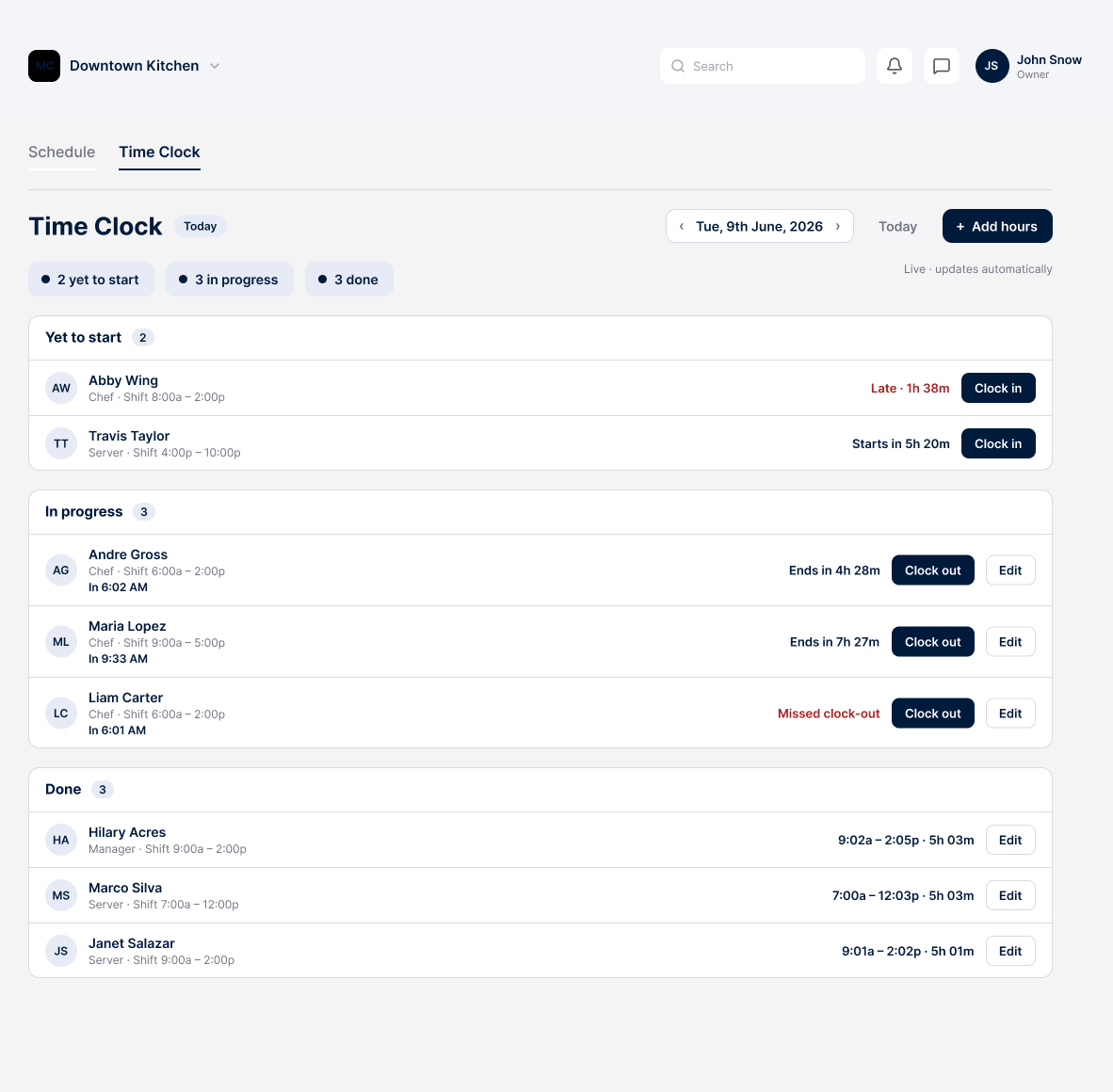
Staff clock in and out from any device, hours log under the role they worked, and a missed clock-out is flagged for the manager.
Time-off requests and PTO
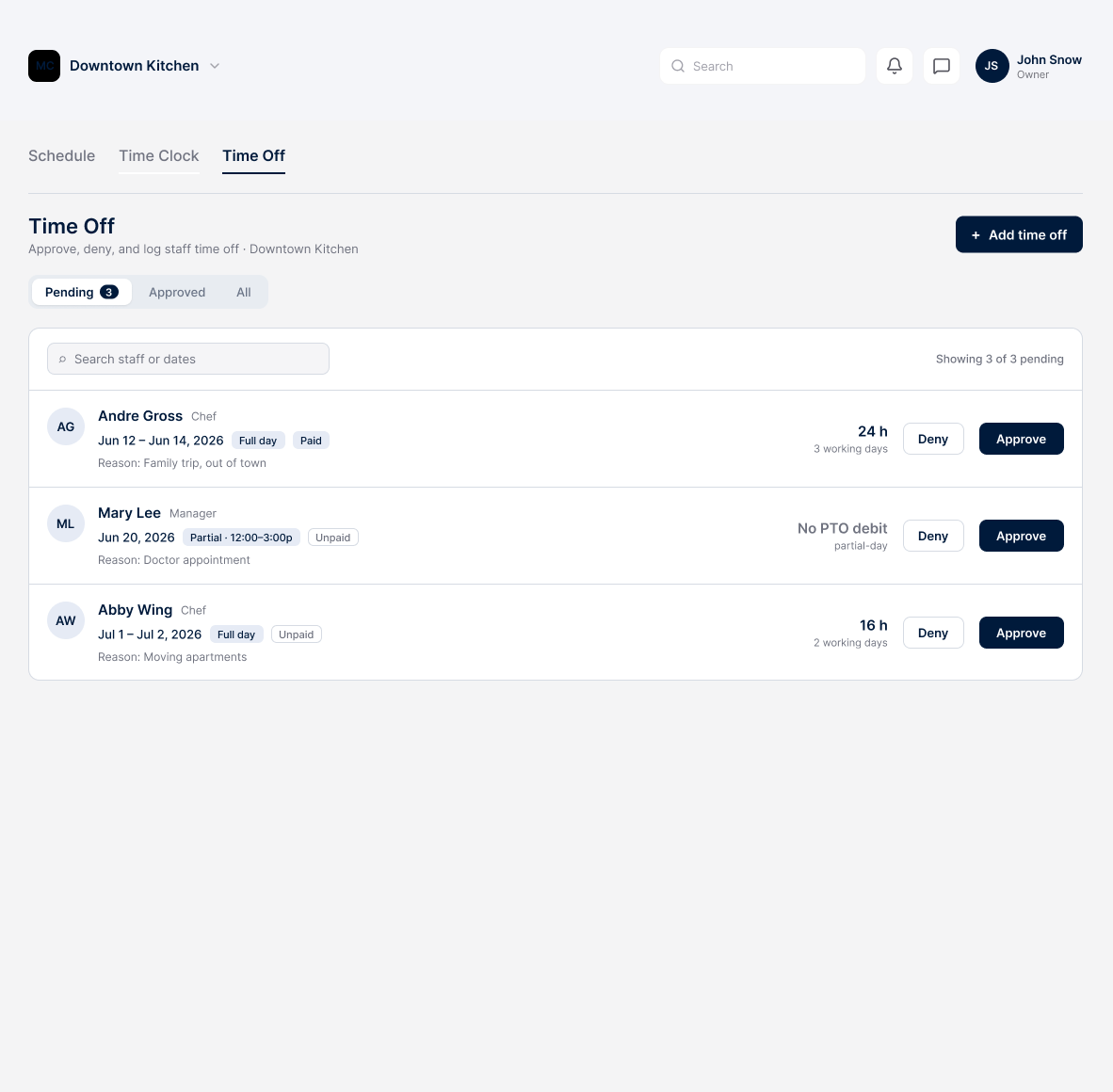
Staff submit full or partial-day requests, approvers see the calculated hours and the resulting balance, and an approved block prevents scheduling at every location.
Shift coverage
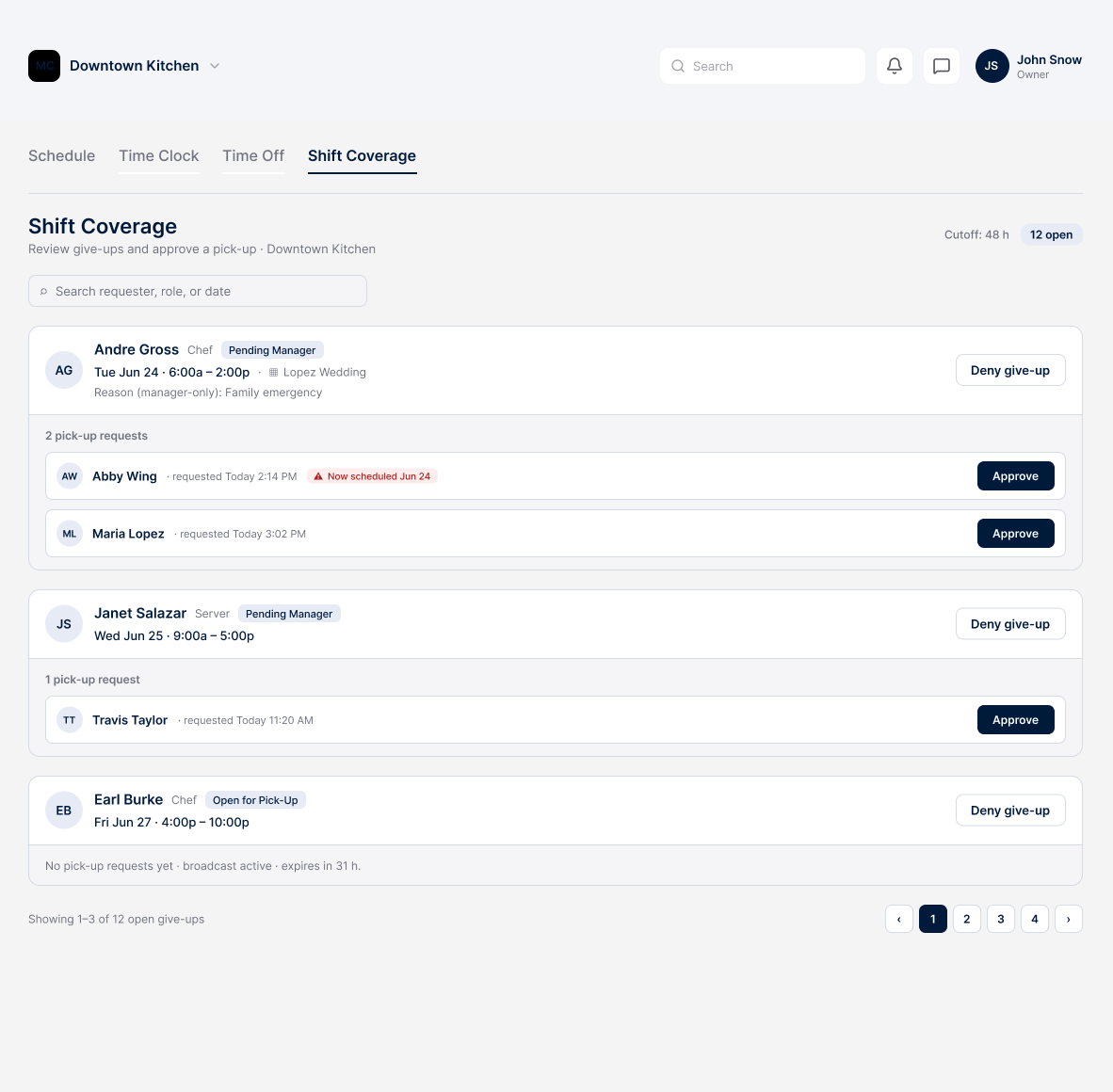
When someone gives up a shift, Scaled offers it to every eligible co-worker and the manager approves one pick-up. It is a feature a company can turn on or off.
Tips and reimbursements
Record tips per date range and out-of-pocket reimbursements per expense date against each person, ready to flow into the payroll export.
Payroll export to QuickBooks and Square
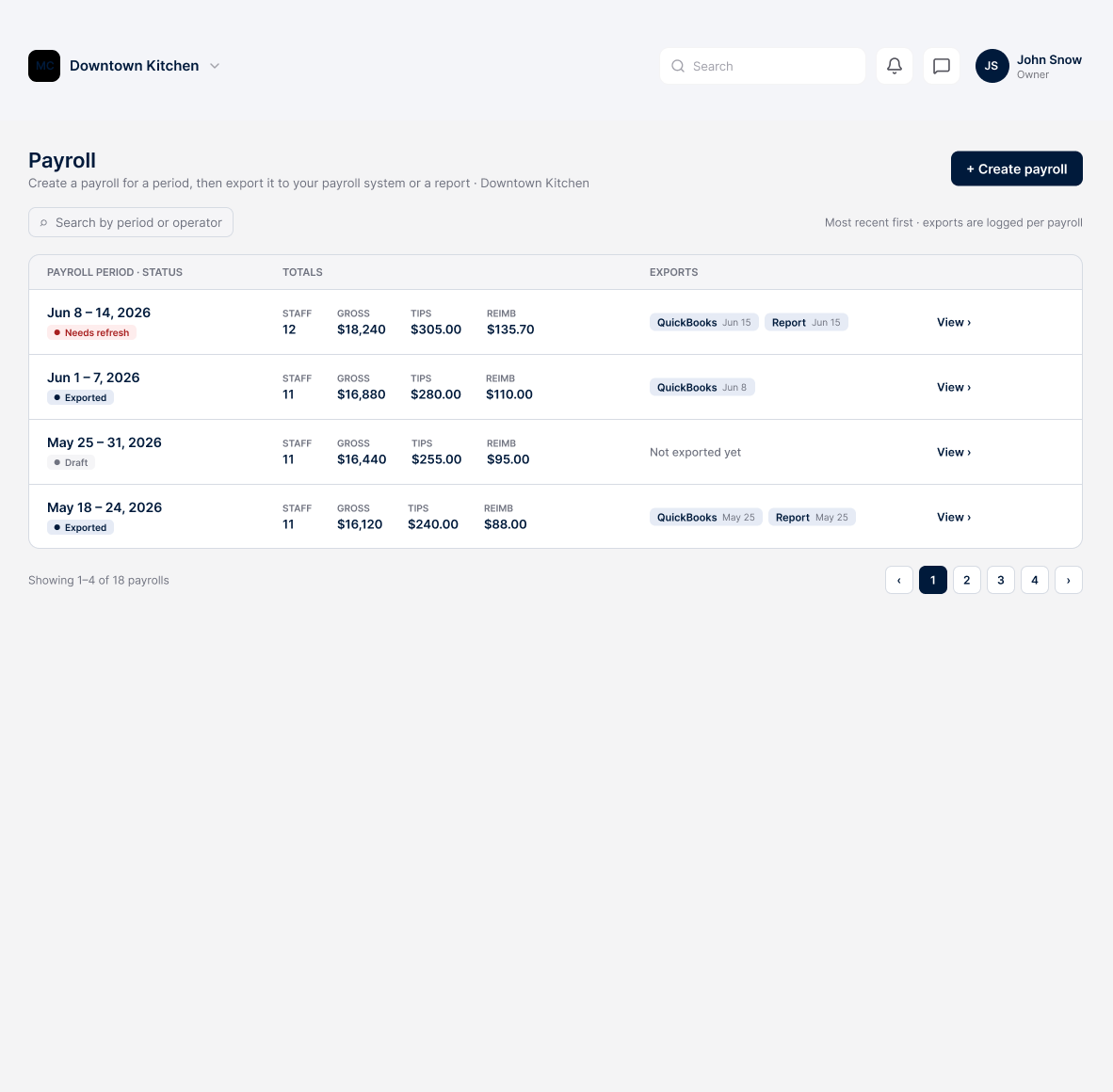
Pick a range and location, and Scaled compiles hours by role, tips, reimbursements, and paid time off, then exports to QuickBooks, Square, or a printable report, with warnings so the same days are not paid twice.
Step by step, in the app
Clock in and out from anywhere
- Staff clock in and out from any device
- Hours log under the role the person worked
- A missed clock-out is flagged for the manager
Time off, reviewed in one place
- Full-day or partial-day requests
- The PTO balance and working hours show before approval
- An approved block keeps the person off the schedule everywhere
Coverage without the phone tree
- A given-up shift is offered to every eligible co-worker
- The manager approves one pick-up request
- Turn it on or off per company
Payroll in a few clicks
- Hours by role, tips, reimbursements, and paid time off
- For any date range and location
- Export to QuickBooks, Square, or a printable report
Staffing that knows your calendar
Because scheduling sits next to your orders, Scaled suggests shifts around the events you have actually booked, and the staff on an event and the staff on the schedule are the same record. Assign people, watch for gaps, and fill them before the day, not after.
Where this connects
Run your whole catering operation from one app
Start free today and watch your next event come together in minutes.