Every catering event, organized from the first call
Capture each order as one record, approve it, and the rest of the platform spins up around it.
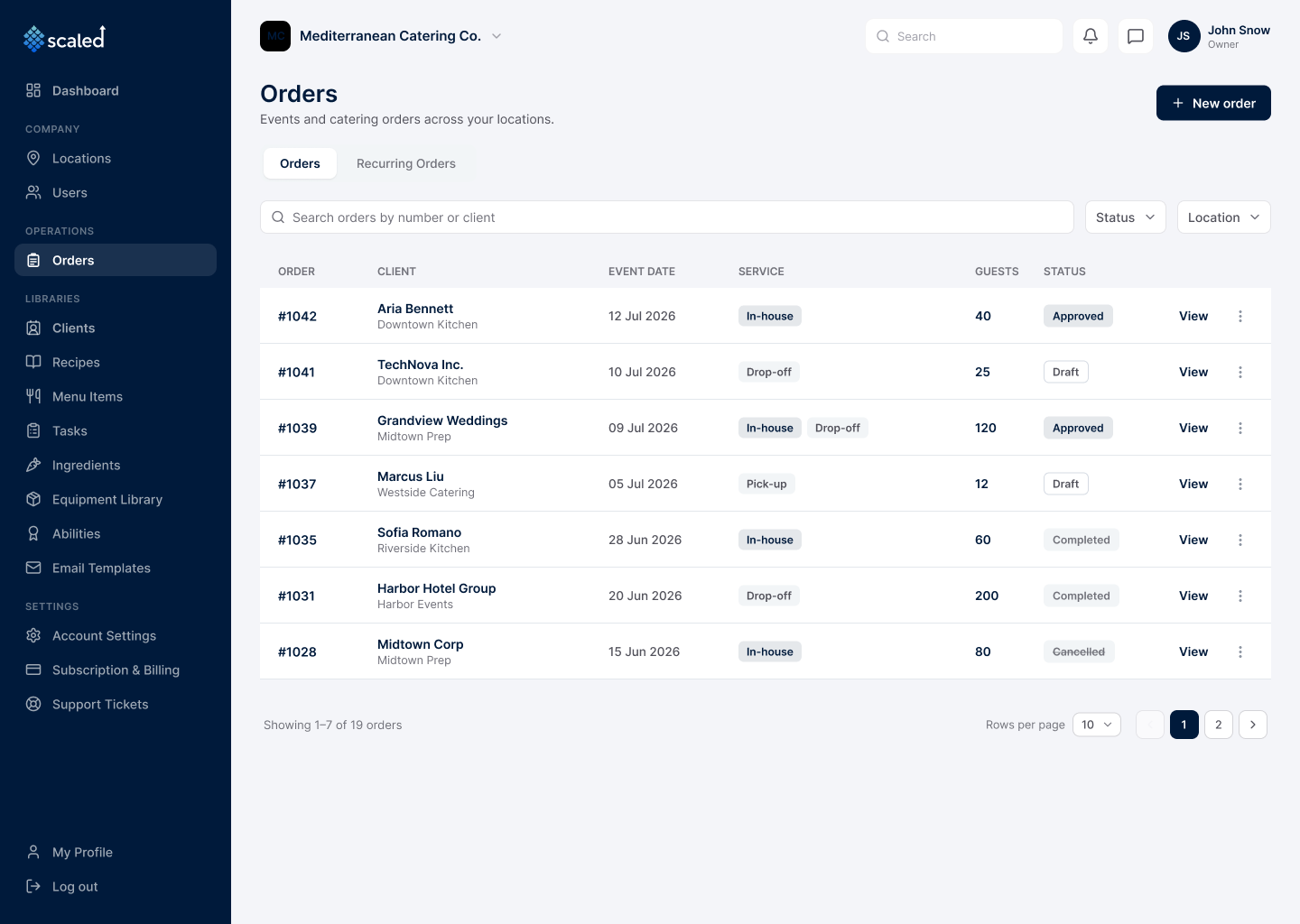
An order in Scaled is a single catering event for one client: its date, location, service types, menu items, and the tasks behind them. Orders are built as drafts, then approved when they are ready. Approval is the moment the rest of the platform switches on. Scaled computes prep dates for every task, emails the client a confirmation, and makes the order visible to the kitchen. Once the event date passes, the order closes itself.
One order, one or more service types
Every order handles in-house, drop-off, and pick-up, and a single event can mix them. Each service type is held as its own sub-order with its own guest count and menu.
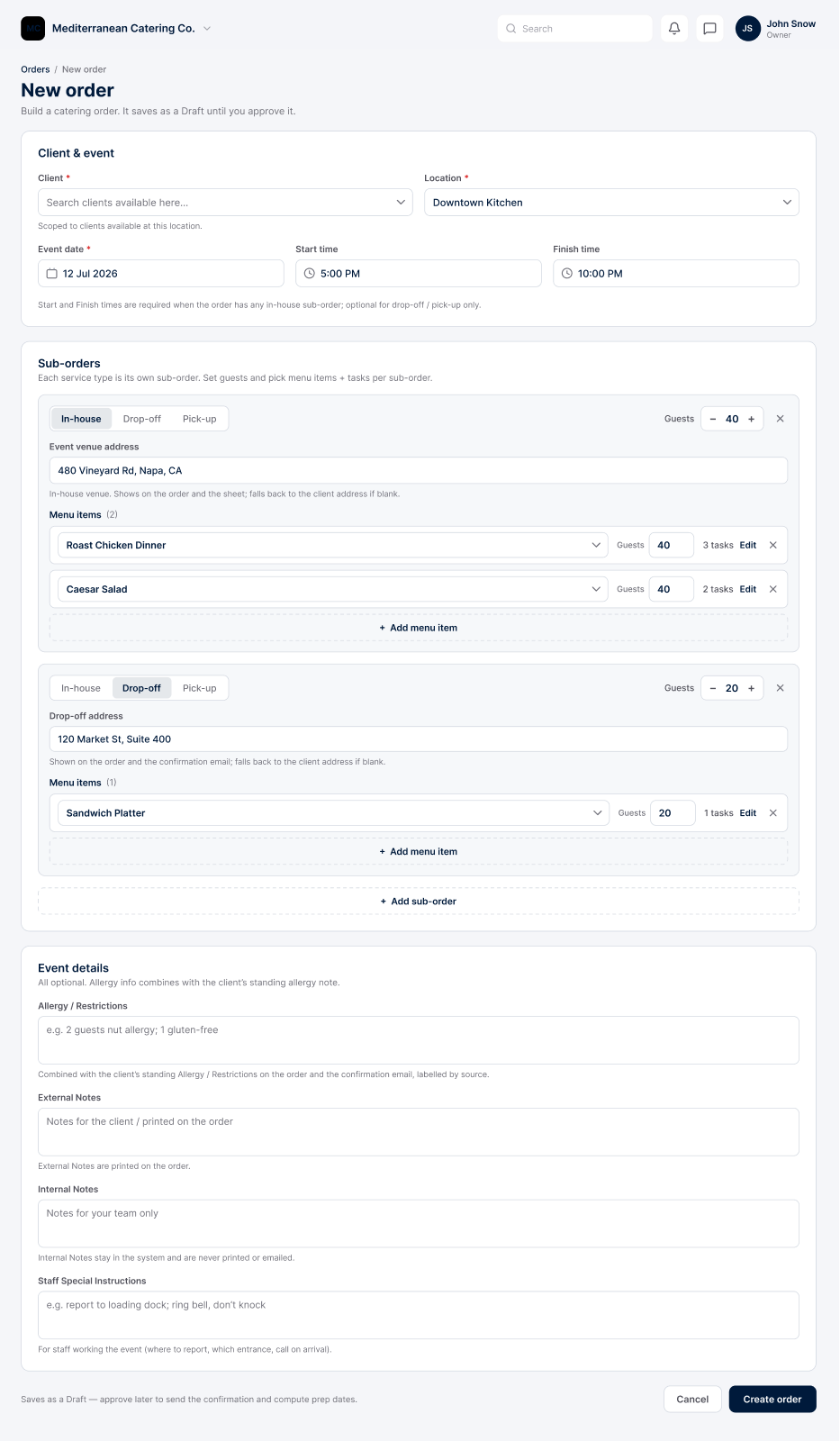
Guided, draft-first creation
Build an order through a guided form: pick the client, set the date and times, add a sub-order per service type, then add the menu items and tasks. It saves as a draft until you approve it.
Approval that drives the operation
Approving an order computes the prep window for every task, sends the client their confirmation, and makes the order visible to the prep-list engine. It is the single action that turns a booking into scheduled kitchen work.
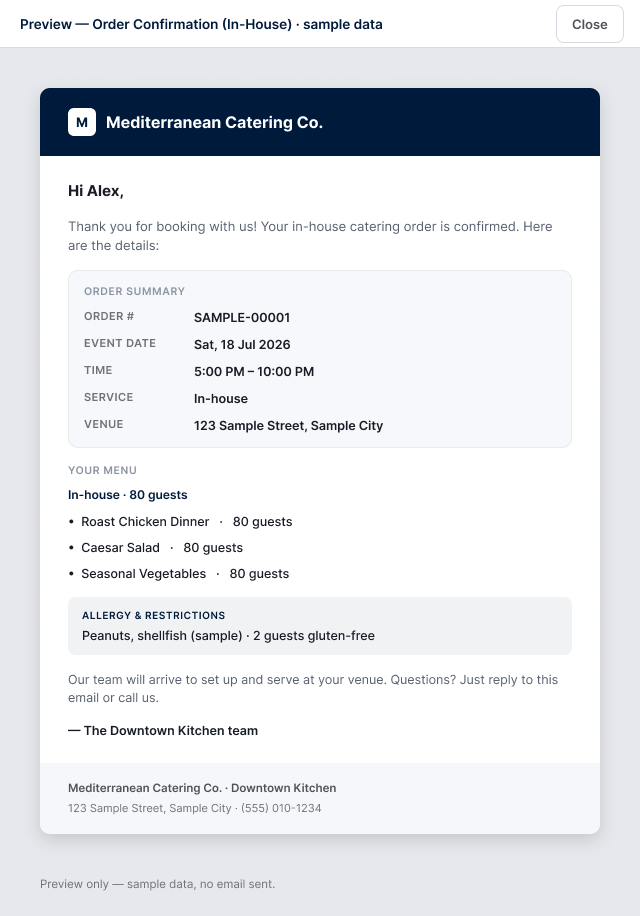
Automatic client confirmations
By default, approving an order emails the client a branded confirmation, built from the right template for the order's service mix, with the menu and details. A per-client toggle can turn it off.
Staff assignment that syncs the schedule
Assign servers and chefs from the order or from the schedule, and both write one shared record. For in-house events, assigning a person creates their shift automatically.
Notes for three audiences
Each order carries external notes (printed on the order sheet), internal notes (system-only), and staff instructions, which notify the assigned team.
Recurring orders for standing clients
Set a client to repeat daily, weekly, or monthly, and Scaled generates a draft order for each occurrence, ready to fill in and approve.
Print-ready order sheets
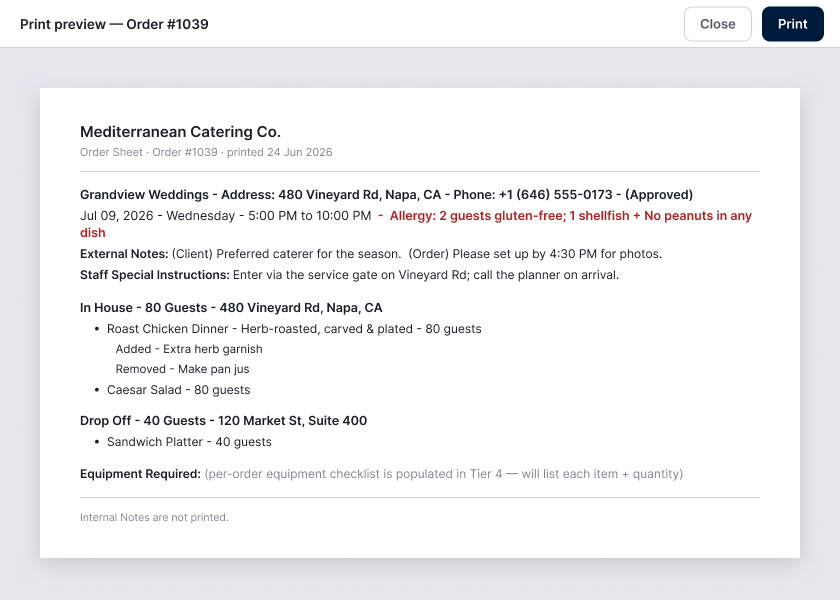
Print an order sheet for the kitchen and event team, one order at a time or across a date range, filtered by draft, approved, or all.
Editable after approval
Approved orders stay editable inline: add or remove items, change guest counts or times, move back to draft, or cancel. Time, location, and staff-instruction changes re-notify the assigned team.
Step by step, in the app
A guided form, not a blank page
- Pick the client, set the event date and start and finish times
- Add a sub-order per service type, each with its own guest count and menu
- Capture allergies, notes, and staff instructions, then save as a draft
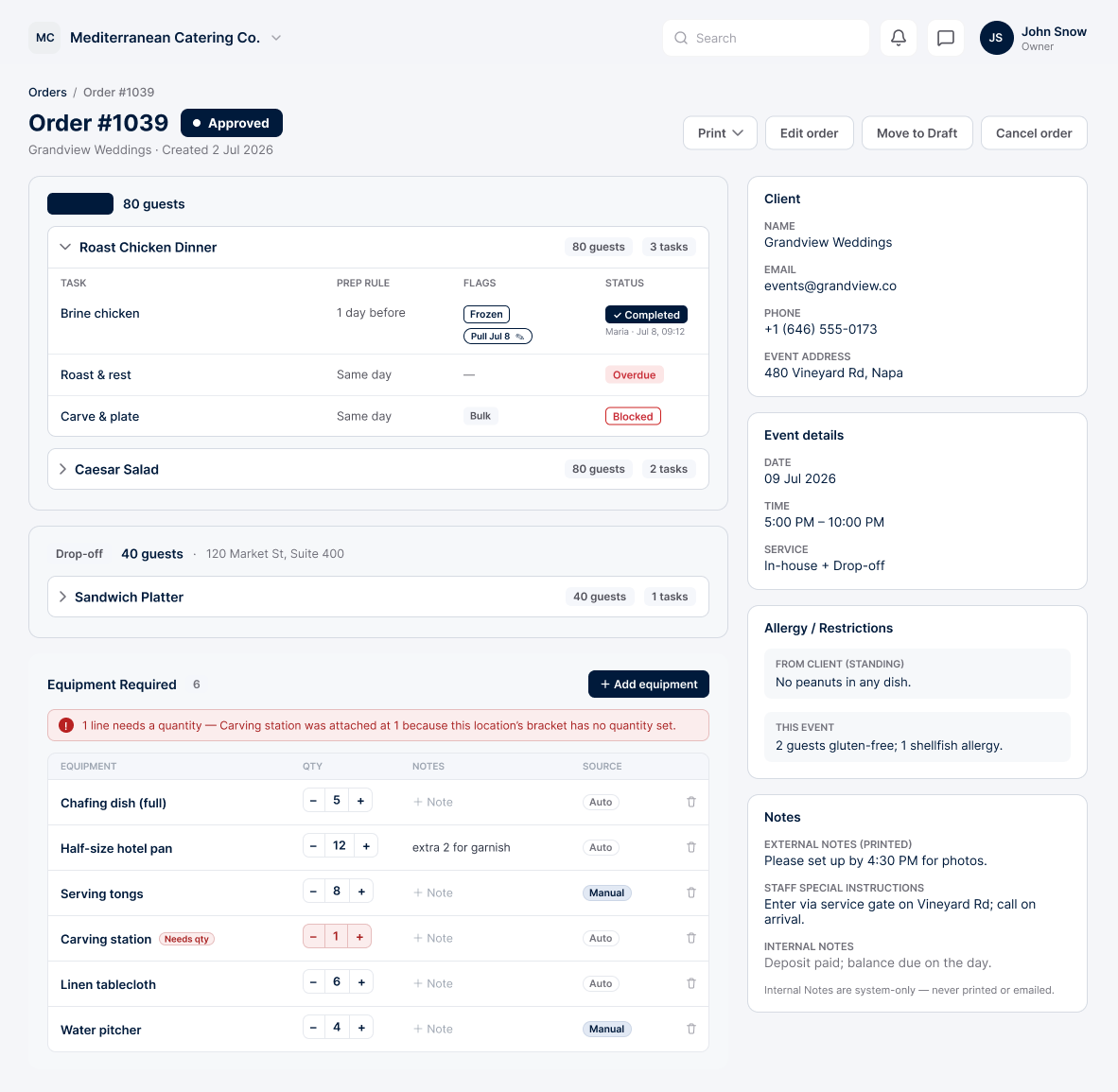
Everything about one event, in one place
- Sub-orders with their menu items and the prep tasks behind them
- The client, event details, and assigned staff on one screen
- The combined allergy block, drawn from the client and the event
The client gets a confirmation automatically
- Sent the moment you approve, with no extra step
- Branded with your own logo and colors
- Includes the order summary and the menu for each service type
Print-ready order sheets for the day
- The menu, guest counts, and allergies for the kitchen
- The equipment checklist for the event team
- Print one order, or every order across a date range
One approval starts the whole chain
Approving an order is the one action that matters. From it, Scaled builds the prep plan, the grocery list, and the equipment checklist, sends the client their confirmation, and puts the assigned staff on the schedule. You define the event once, and prep, purchasing, staffing, and equipment all read from it.
Where this connects
Run your whole catering operation from one app
Start free today and watch your next event come together in minutes.