Your kitchen's whole week, planned automatically
Approved orders become a timed prep plan: batched, scaled, assigned, and marked in real time.
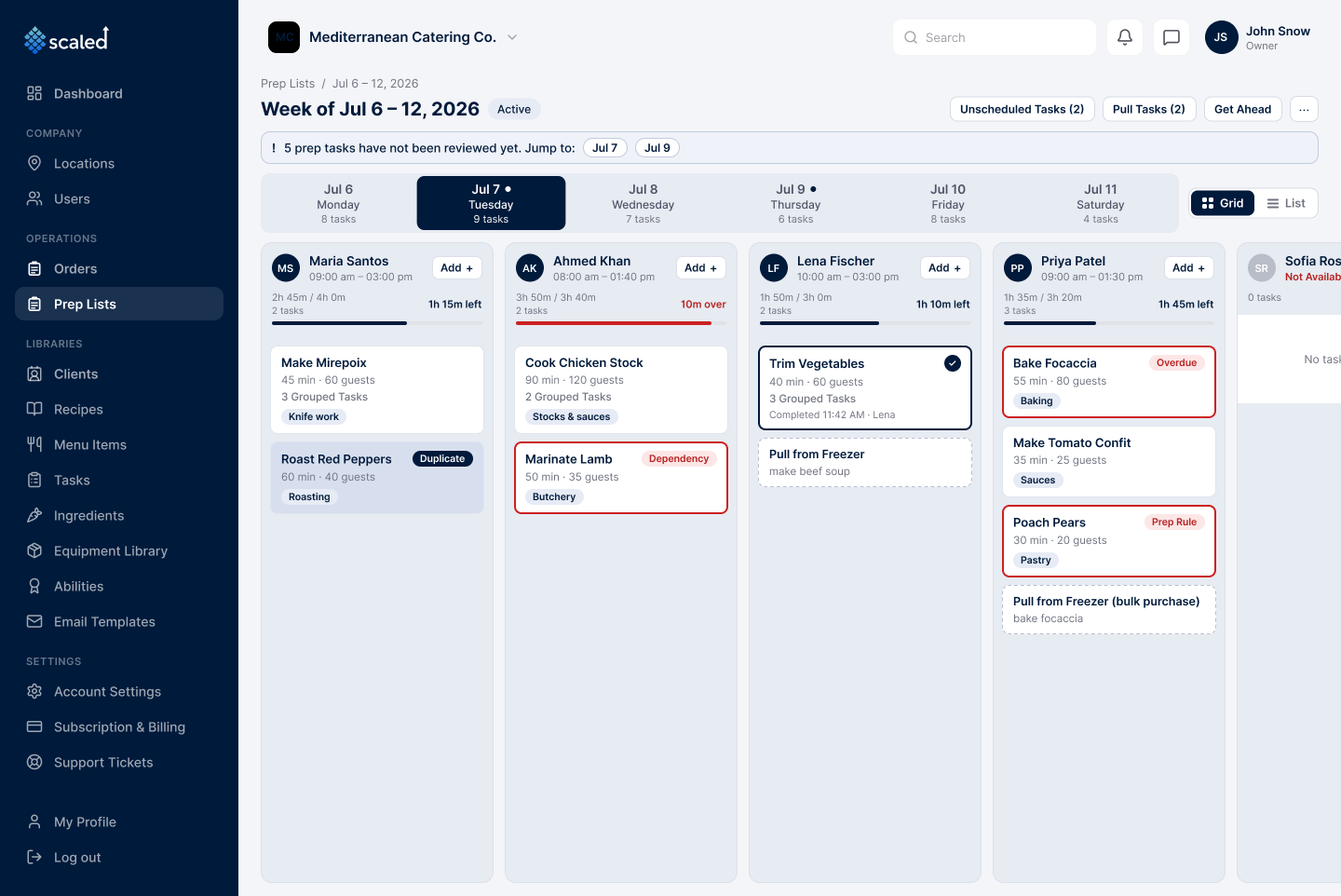
Once an order is approved, its prep does not sit on a whiteboard. Scaled reads every approved order for the week, works out which tasks are due and by when, and builds one timed plan per kitchen: what to make, for how many guests, on which day, and by which chef. Time-sensitive steps like freezer pulls and bulk pickups are scheduled a day ahead automatically.
Tasks generated from approved orders
Scaled gathers every approved order whose prep is due that week and schedules each task. Draft and cancelled orders are ignored, and work already done is left alone.
Portions scaled to the guest count
Every task is sized to the guests it serves, using the recipe's yield, so the amounts match what the kitchen will make. Change an order's guest count and the task recomputes in place.
Similar work batched, then assigned
When the same task is needed for several events, Scaled batches it so a chef preps it once, then assigns it to a chef with the right ability and enough time left in the day.
Grid view and list view
See the week as a board with one column per chef, or as a scannable list, toggled in one click. Cards show the task, time, guest count, ability, and status.
Real-time marking with live progress
Chefs mark tasks done from a phone or tablet, and managers watch progress update within seconds: tasks done per day, per-chef load, and which cards have gone overdue. Each task records how long it actually took against the estimate.
Overdue tracking and unmark
A task not finished by the end of a chef's shift moves to overdue and notifies the chef and manager. A task marked done by mistake can be unmarked, as long as the event has not passed.
Freezer pulls and pickups, a day ahead
Any task flagged frozen gets a freezer pull the day before, and bulk items get a pickup task, so thawing and shopping happen before they are needed.
Work ahead on light weeks
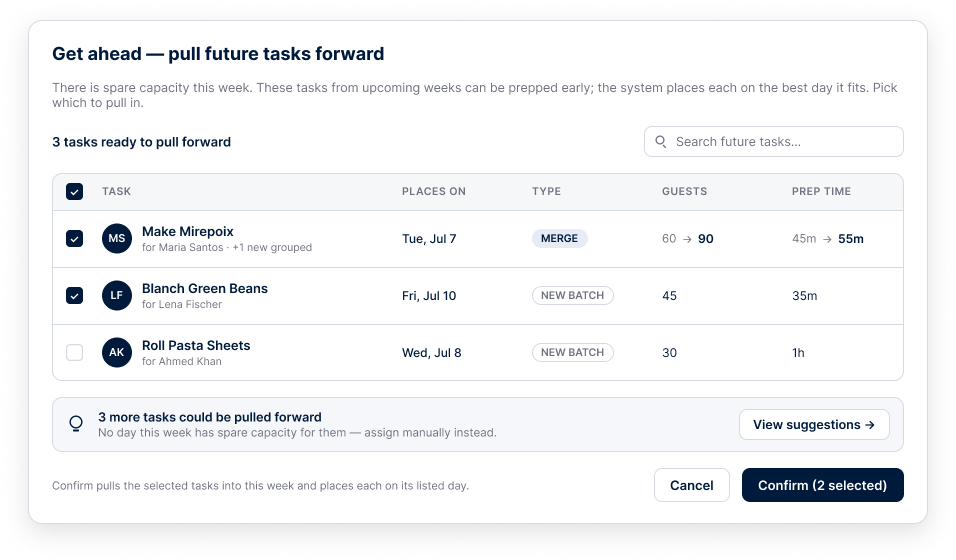
When a week has spare capacity, the Get-Ahead tool pulls upcoming tasks forward onto the best-fit day, merging them into existing batches or scheduling new ones.
Print mode for the kitchen
Prefer paper? Print per-chef daily kitchen sheets that auto-complete at the end of the day, instead of marking tasks on a device.
Step by step, in the app
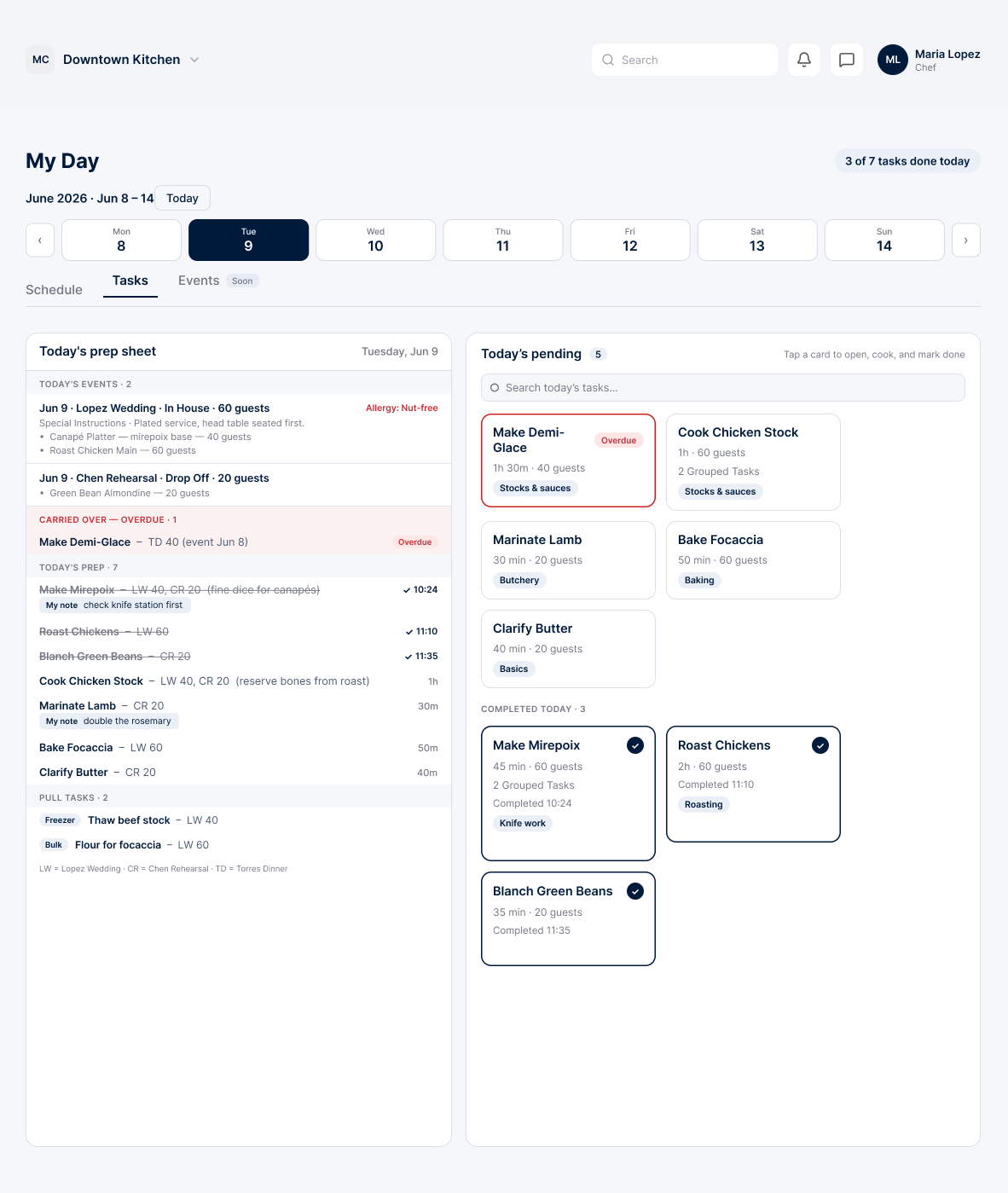
Each chef sees only their day
- Today's prep sheet on the left, finished items struck through
- Today's pending tasks as tappable cards on the right
- A running counter of how much is done today
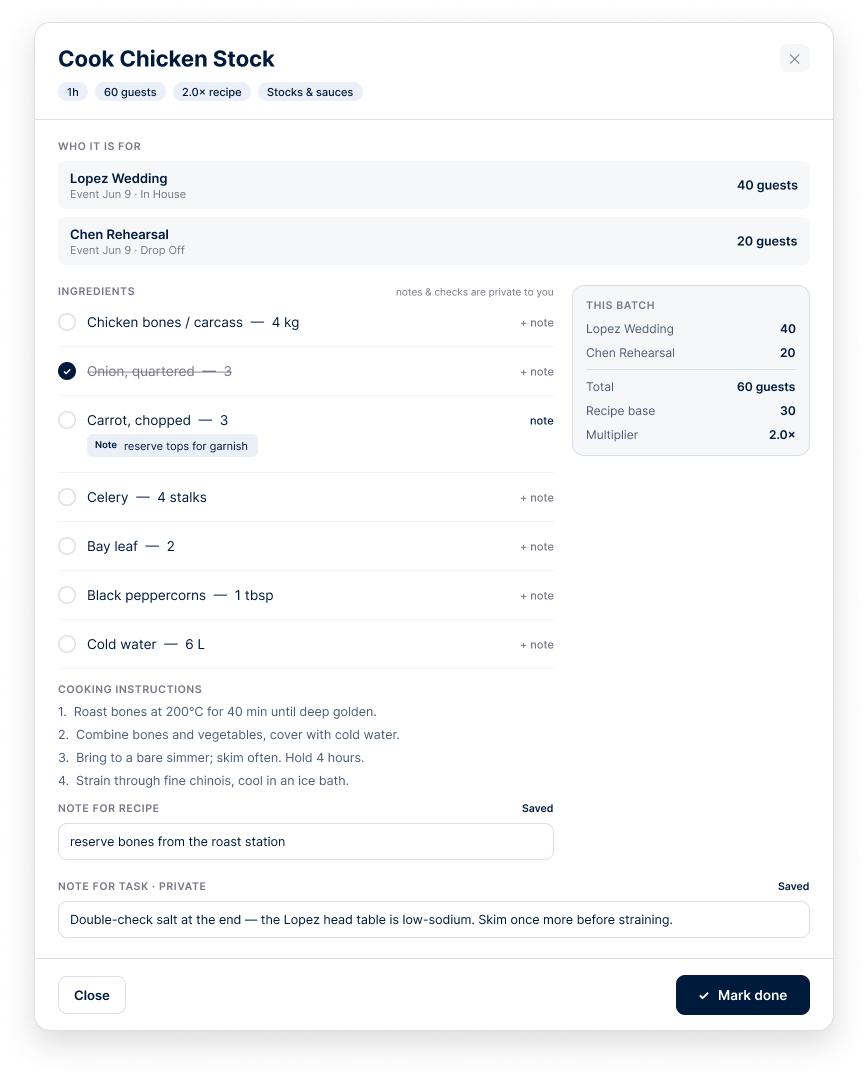
Every task, fully briefed
- Who the task is for, per client and guest count
- The recipe and the batch math, scaled to the day
- Private notes only that chef sees
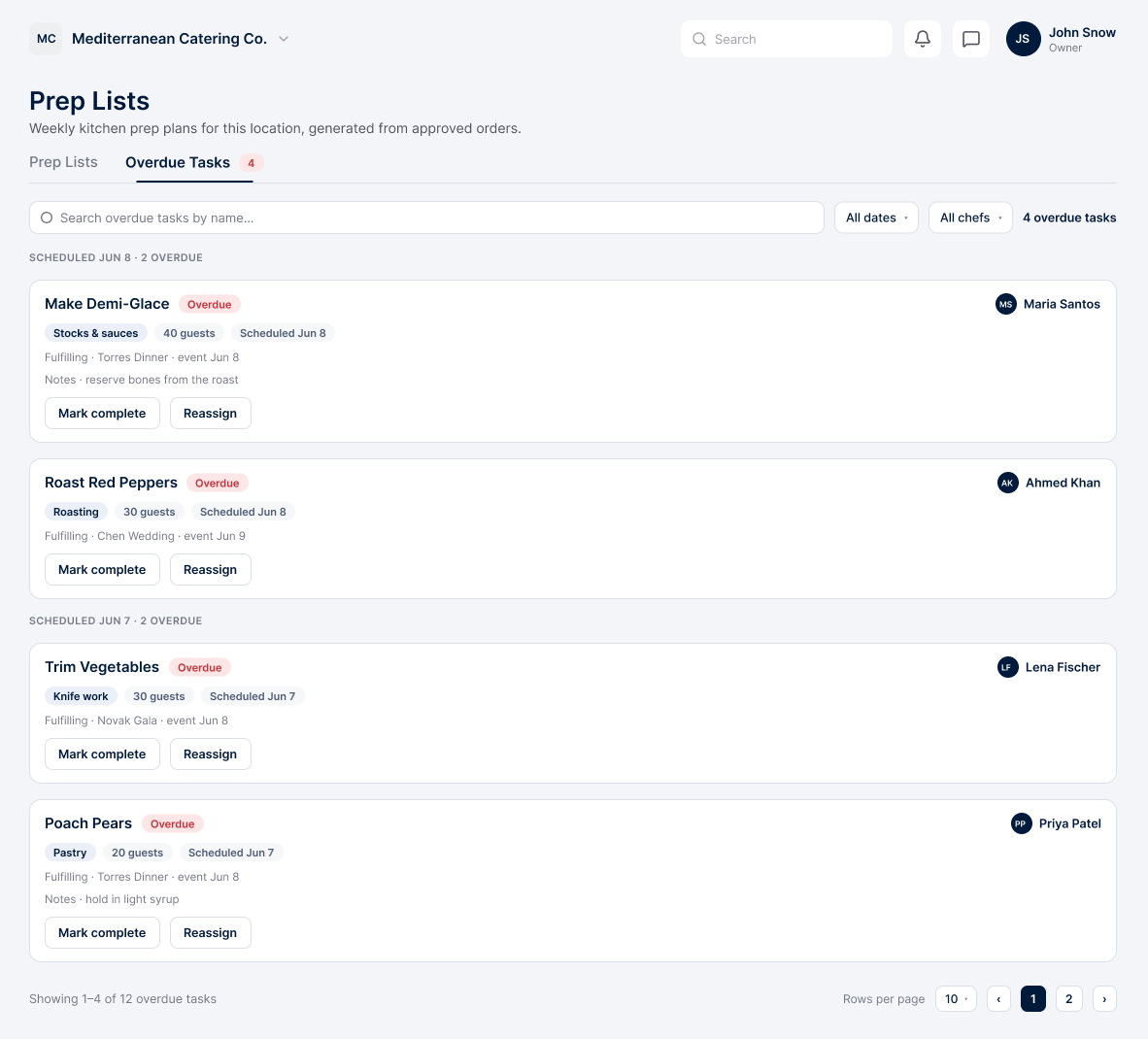
Nothing slips quietly
- Overdue tasks grouped by date, with the chef and event behind each
- Mark complete or reassign in a click
- The chef and manager are notified the moment a task runs late
Pull next week's prep forward
- See which upcoming tasks can move to today
- Scaled places each on the best-fit day
- Merges into an existing batch, or schedules a new one
Built from your recipes, every time
Prep is only as good as the recipes behind it. Scaled reads each dish's ingredients and yield from your recipe catalog and scales them to the guest count, so the plan reflects exactly what you are cooking. Update a recipe and the next plan follows.
Where this connects
Run your whole catering operation from one app
Start free today and watch your next event come together in minutes.