Pack the right gear, every single time
A packing checklist builds itself for every in-house event from your equipment library, so nothing gets left on the shelf.
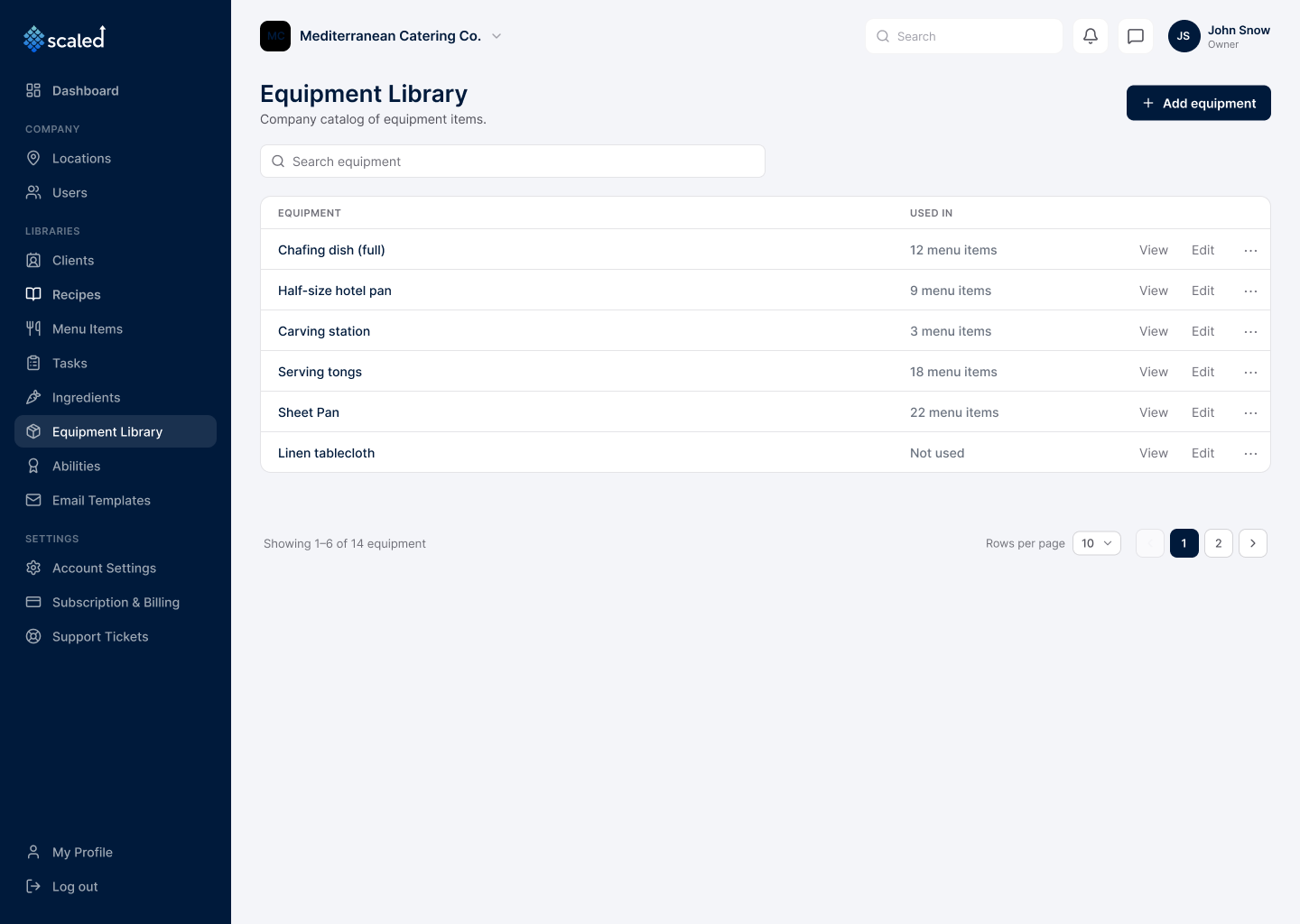
Every event needs physical gear on the truck: chafers, hotel pans, serving tongs, carving stations, linen. Scaled builds each event's packing checklist automatically from the same menu that drives the kitchen prep. When an in-house order is approved, Scaled reads the equipment each dish needs, scales it to the guest count, and adds up one clean line per item.
One equipment library, every location
A single catalog defines every piece of gear the company uses, reusable across menu items and shared across all locations, so there is no per-site list to maintain.
Checklists that build themselves
When an in-house order is approved, Scaled walks its menu items, reads the equipment each one needs, and assembles one packing list with the total quantity per item.
Quantities set by guest count
Each dish records how much of a piece it needs at each guest-count bracket, so a 40-guest event and a 90-guest event get different quantities from the same menu.
A date-range view for busy weekends
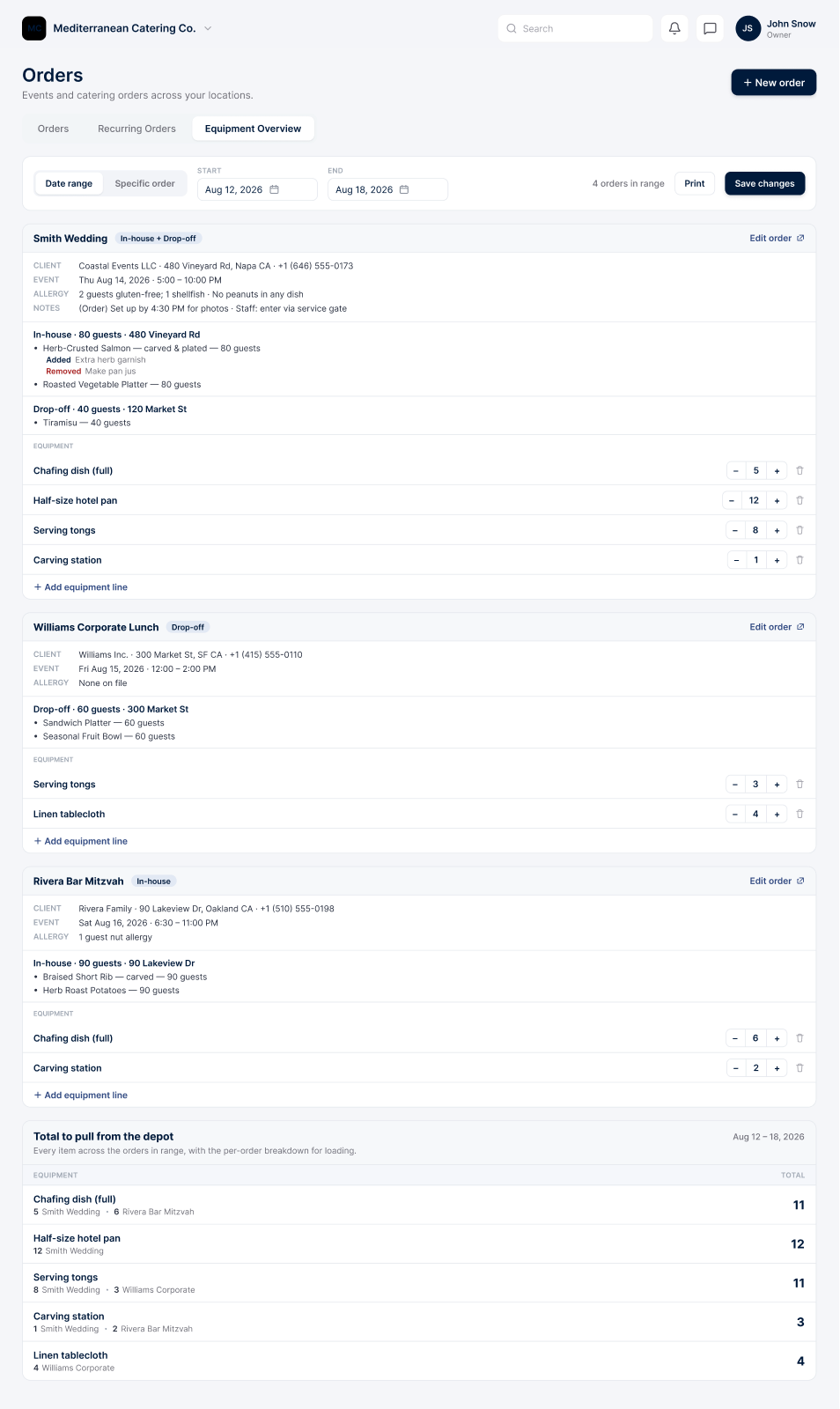
See every order across a weekend on one screen, or scope to a single order, one section per event, and correct quantities inline without opening each one.
A depot loading total
Across the range, Scaled sums each item and shows which events contribute to each total, which is the loading view for pulling gear from inventory.
Automatic, with manual control
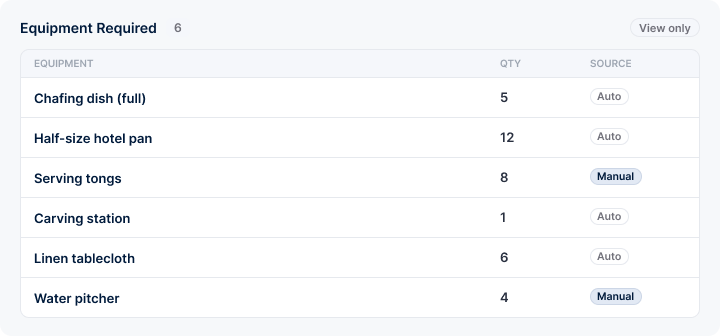
Every line is marked auto or manual, so it is clear what Scaled calculated and what a manager set. Drop-off and pick-up orders start empty and are packed by hand.
Step by step, in the app
Map a dish to the gear it needs
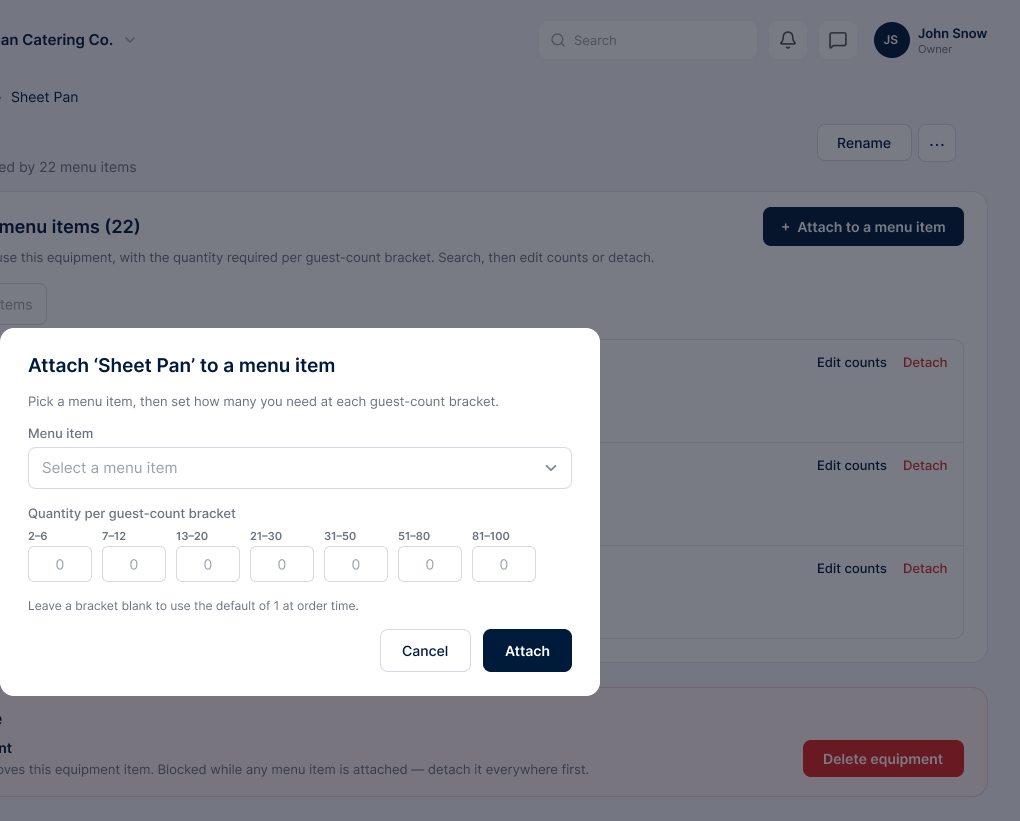
- Attach equipment to a menu item once
- Set the quantity needed at each guest-count bracket
- This link is what lets the checklist build itself later
A whole weekend in one view
- Every event in the range on one screen, one section each
- Correct quantities inline without opening each order
- A depot pull total showing which events each item goes to
A checklist for the truck
- One line per item, with the total quantity to pack
- Each line marked auto or manual
- A checkbox per line, so staff tick items as they load
Nothing left on the shelf
The packing list is built from the same menu that drives prep, so the gear matches the food. Review a whole weekend at once and pack with confidence that every event has what it needs.
Where this connects
Run your whole catering operation from one app
Start free today and watch your next event come together in minutes.